
Edit strategy
Lees dit artikel in het Nederlands
Only the ‘Administrator’ of the team or the owner of the strategy can edit it.
- Click the strategy to open it.
- Click a field to edit the strategy.
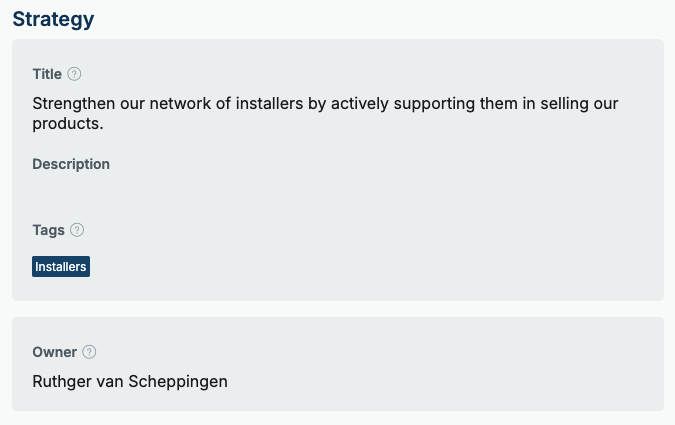
You see the following fields:
- Title: this is the title of the strategy. The title is visible in the overview of the OGSM.
- Description: here you can give a brief explanation of the strategy.
- Labels: optionally select a label to add it to the strategy.
- Owner: this is the owner of the strategy. This person is responsible for implementing the strategy and for reporting on progress.
Changes are saved automatically.
You can improve the strategy with the help of AI. Read more…